UI Components
可缩放浮动导航栏
滚动时平滑收缩为紧凑浮动胶囊的导航栏,带有宽度和阴影过渡动画。
作者:mcpskills
框架
reacttailwind
UI 库
navigation
难度advanced
英文提示词
Create a resizable floating navbar that starts as a full-width transparent bar at the top of a light gray page, then morphs into a compact centered pill when the user scrolls. Initial state: full width, no background, dark logo on the left, centered links, and an outlined 'Sign in' button on the right. On scroll, transform it into a pill with a white background, subtle shadow, rounded-full shape, reduced padding, and slightly smaller logo/text. The transition should be smooth using transform/width/height/border-radius/shadow with cubic-bezier easing. Links should have an underline-dot indicator on hover. The page below needs enough height to allow scrolling. Use only SVG logo mark, no emojis. Make it feel like a polished marketing site header.
中文提示词
创建一个可缩放浮动导航栏。初始状态为浅灰色页面顶部一个全宽透明栏,滚动后变形为一个居中的紧凑胶囊。初始状态:全宽、无背景、左侧深色 logo、居中链接、右侧带边框的 'Sign in' 按钮。滚动时变形为白色背景、柔和阴影、rounded-full 形状、减少内边距、logo/文字略小的胶囊。过渡应使用 transform/width/height/border-radius/shadow 配合 cubic-bezier 缓动实现平滑动画。链接悬停时显示下圆点指示器。下方页面需要足够高度以允许滚动。仅使用 SVG logo 标记,不使用 emoji。整体应感觉像精致营销网站的页头。
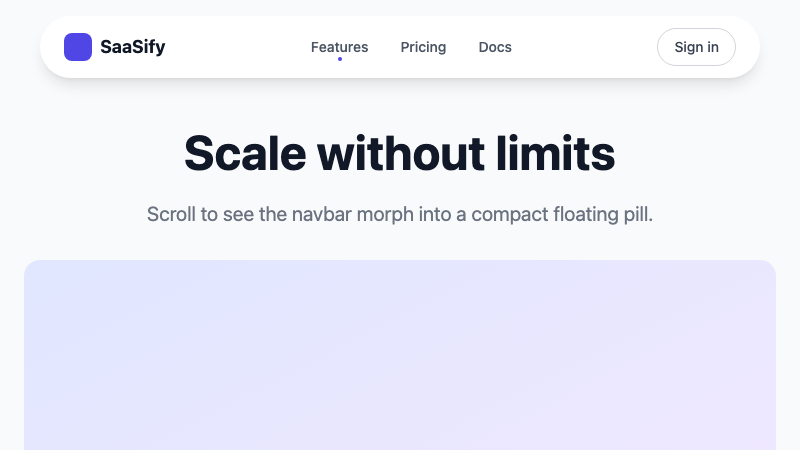
Floating navbar that morphs from full-width bar to compact pill on scroll.