Forms
Contact Form
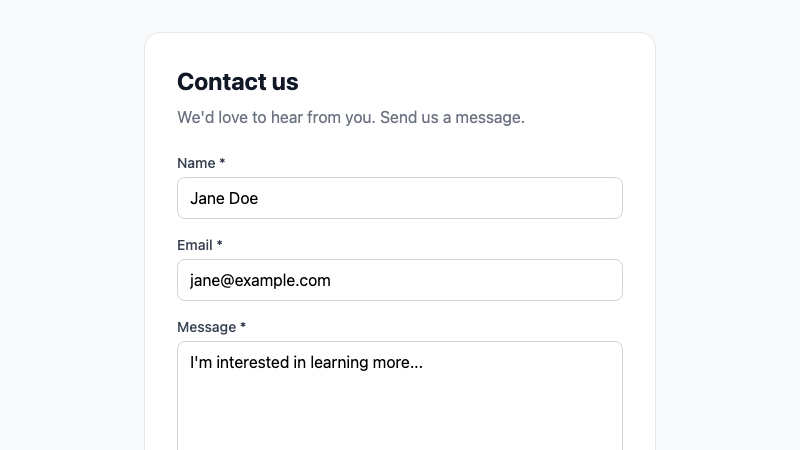
A validated contact form with name, email, message, loading state, and success feedback.
by mcpSkills
Framework
nextjs
UI Library
shadcntailwind
Difficultybeginner
English Prompt
Create a contact form with name, email, and message fields. Include client-side validation: all fields required, valid email format, and 500 character limit on message. Show inline error messages, a loading state on submit, and a success message after submission. Use shadcn/ui Input, Textarea, Button, and Label components and Tailwind CSS. Make it accessible with proper labels and focus states.
Chinese Prompt
创建一个包含姓名、邮箱和留言字段的联系表单。包含客户端验证:所有字段必填、邮箱格式正确、留言限制 500 字符。显示内联错误信息、提交时加载状态和提交后的成功提示。使用 shadcn/ui Input、Textarea、Button 和 Label 组件以及 Tailwind CSS。确保可访问性,包含正确标签和聚焦状态。
## Overview
A standard contact form with validation and feedback states. Ready to wire up to an email or API endpoint.
## Features
- Name, email, and message fields
- Client-side validation
- Inline error messages
- Loading submit state
- Success confirmation
- Accessible labels and focus styles
## Usage
Copy the prompt into v0 or Cursor. Connect the onSubmit handler to your backend or email service.
## Customization
Modify the prompt to:
- Add a subject field
- Include reCAPTCHA or honeypot
- Add phone number field
- Send via server action or API route