Forms
Checkout Form
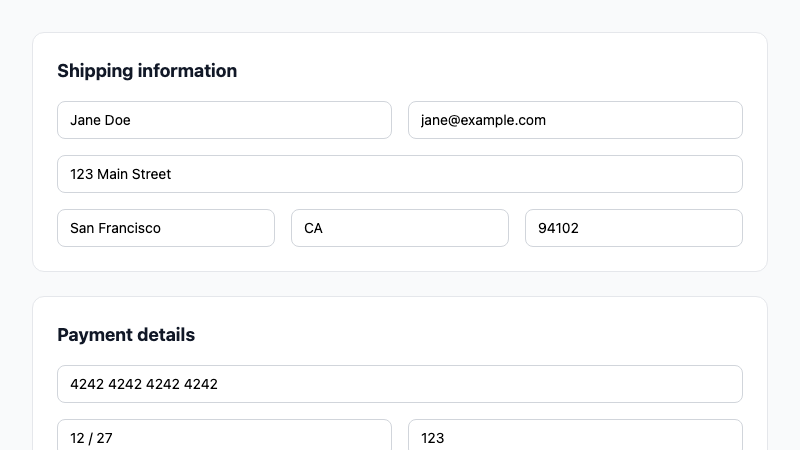
A multi-section checkout form with shipping, payment, and order summary.
by mcpSkills
Framework
nextjs
UI Library
shadcntailwind
Difficultyintermediate
English Prompt
Create a checkout page with a two-column layout. Left column: shipping information form (name, email, address, city, country, postal code) and payment form (card number, expiry, CVC). Right column: order summary card showing items, subtotal, shipping, tax, and total with a "Place order" button. Use shadcn/ui Card, Input, Button, and Separator components and Tailwind CSS. Include form validation and responsive stacking.
Chinese Prompt
创建一个两列布局的结账页面。左列:配送信息表单(姓名、邮箱、地址、城市、国家、邮编)和支付表单(卡号、有效期、CVC)。右列:订单摘要卡片,显示商品、小计、运费、税费和总计,以及 "Place order" 按钮。使用 shadcn/ui Card、Input、Button 和 Separator 组件以及 Tailwind CSS。包含表单验证和响应式堆叠。
## Overview
A checkout flow form that collects shipping and payment details alongside an order summary. Designed to reduce friction and increase conversions.
## Features
- Two-column checkout layout
- Shipping information form
- Payment details form
- Order summary sidebar
- Cost breakdown
- Form validation
- Responsive stacking
## Usage
Copy the prompt into v0 or Cursor. Connect to your payment processor and order API.
## Customization
Modify the prompt to:
- Add shipping method selection
- Include billing address toggle
- Add promo code input
- Show saved payment methods